
The Feature Flags page provides developers with the ability to customize and fine-tune the default behavior of Edlink's platform. These settings allow for greater control over error handling, data management, and API integrations.
With Feature Flags, you can:
- Modify how the platform responds to specific situations, such as handling errors during SSO or managing missing data in assignment requests.
- Enable or disable specific behaviors to align with the needs of your application or integration.
- Optimize workflows and ensure compatibility with external platforms like Schoology, Brightspace, Veracross, and PowerSchool.
Here is the table of possible feature flags you can configure:
| Human Readable Name | Description |
|---|---|
| SSO Error Behavior | If a user encounters an error during the SSO process, by default they will land on an Edlink error page. When this setting is selected, they will instead be redirected to your specified redirect_uri with an error code. |
| Missing Assignee Behavior | If you send a request with an assignee that cannot be resolved Edlink will, by default, return an error. This setting allows you to change that behavior to instead return a warning. |
| Disable SSO Cookies | By default, Edlink will attempt to remember a user that signs in via SSO using a cookie. If you do not want Edlink to set any cookies, you can disable this behavior. |
| Auto-Calculate Display Date on Assignments | If you create an assignment without a display date, by default Edlink will attempt to use the current date as the display date. This setting will automatically use the earliest session date of a class for the display date when the display date is not passed. |
| User API V2 - autofix submission type (Schoology) | Automatically correct submission requests which include an invalid submission type. |
| User API V2 - autofill assignment session (Schoology) | Automatically fill in a session value when it is missing from assignment creation requests. |
| User API V2 - autofill assignment category (Schoology) | Automatically fill in a category value when it is missing from assignment creation requests. |
| User API V1 - autofill assignment grading period (Schoology) | Automatically fill in a grading period value when it is missing from assignment creation requests. |
| User API V1 - autofill assignment grading category (Schoology) | Automatically fill in a category value when it is missing from assignment creation requests. |
| User API V2 - autofix assignment title (Brightspace) | Automatically remove invalid characters from assignment titles that Brightspace does not allow. |
| User API V1 - autofix assignment title (Brightspace) | Automatically remove invalid characters from assignment titles that Brightspace does not allow. |
| Graph API V2 - set assignment category (Veracross) | Set the category of an assignment when it is created. |
| Graph API V2 - set assignment weight (Veracross) | Set the weight of an assignment when it is created. |
| Graph API V2 - set assignment category (Powerschool) | Automatically fill in a category value when it is missing from assignment creation requests. |
| Graph API V2 - Truncate assignment title (Powerschool) | Truncate assignment titles to 50 characters when creating an assignment. |
| LTI Deep Link - default section for all people | Automatically select a default section when teachers are creating an assignment. |
| LTI Deep Link - remove title when optional | Automatically remove the title of an assignment when it is optional. |
| Graph API V2 - update score scales (Infinite Campus) | Automatically update the score scales of an assignment when it is created. |
Handling SSO Errors {#sso-error-behavior}
The SSO Error Behavior feature flag allows you to customize how Edlink handles errors that occur during the SSO process. By default, if a user encounters an error during SSO, they will be directed to an Edlink error page. However, by enabling this feature flag, you can have users redirected back to your specified redirect_uri along with an appropriate error code.
Here is the table of possible SSO error codes and their descriptions.
| Error Code | Description |
|---|---|
SSO_NOT_ENABLED | Single Sign-On is not enabled for this application. |
NO_PERMISSION | The user does not have permission to access this application. |
INTEGRATION_NOT_FOUND | The specified integration could not be found. |
INVALID_CONFIGURATION | The integration or application configuration is invalid. |
INVALID_SSO_PROTOCOL | The requested SSO protocol is not supported or configured. |
INVALID_STATE | The state parameter provided in the OAuth request is invalid or missing. |
INVALID_INTEGRATION_STATE | The integration is not in an active state (e.g., it is paused or disabled). |
INVALID_AUTHORIZATION_CODE | The authorization code provided is invalid, expired, or has already been used. |
INVALID_PROVIDER | The requested identity provider is invalid or not supported. |
INVALID_REDIRECT_URI | The redirect_uri provided does not match the allowed URIs configured in the dashboard. |
INVALID_CLIENT_ID | The client_id provided is invalid or does not exist. |
INVALID_INTEGRATION_ID | The integration ID provided is malformed or invalid. |
INVALID_ALTERNATIVE_LOGIN_URL | The alternative login URL provided does not match the application configuration. |
INVALID_LOGIN_HINT | The login_hint parameter provided is invalid. |
INVALID_PASSWORD | The password provided is incorrect. |
INVALID_NONCE | The nonce parameter provided is invalid. |
UPSTREAM_ERROR | An error occurred with the upstream identity provider (e.g., Google, Canvas). |
LTI_LAUNCH_ERROR | A general error occurred during the LTI launch process. |
NO_LTI_CONSUMER_KEY | The LTI launch request is missing the consumer key. |
INVALID_LTI_CONSUMER_KEY | The LTI consumer key provided is incorrect. |
INVALID_REQUEST_BODY | The request body is malformed or missing required fields. |
CLASS_NOT_SHARED | The class context for this launch is hidden by a sharing rule. |
PERSON_NOT_SHARED | The user attempting to sign in is hidden by a sharing rule. |
INVALID_KEYSET_URL | The JWKS URL provided for LTI 1.3 is invalid or unreachable. |
INVALID_KEYSET | The keyset data retrieved is malformed. |
INVALID_JWT | The JSON Web Token provided is invalid or malformed. |
INVALID_JWT_MISSING_KID | The JWT header is missing the Key ID (kid). |
KID_NOT_FOUND_IN_KEYSET | The Key ID specified in the JWT was not found in the provided keyset. |
INVALID_LTI_VERSION | The LTI version specified is not supported. |
INVALID_LTI_SIGNATURE | The signature verification for the LTI launch failed. |
INVALID_LTI_RESOURCE_LINK_CLAIM | The LTI resource link claim is missing or invalid. |
INVALID_JWT_SUBJECT | The sub (subject) claim in the JWT is invalid. |
INVALID_LTI_DEPLOYMENT_ID | The deployment ID in the launch does not match the configuration. |
INVALID_LAUNCH_CONTEXT | The context (course or resource) of the launch is invalid. |
INVALID_LTI_RETURN_URL | The return URL provided in the LTI launch is invalid. |
INVALID_LTI_ROLES | The roles claim in the LTI launch is missing or invalid. |
INVALID_LTI_MESSAGE_TYPE | The LTI message type is not supported. |
INVALID_OIDC_CONFIGURATION | The OIDC configuration is missing or malformed. |
INVALID_LTI_CLIENT_ID_ISSUER_PAIR | The combination of Client ID and Issuer does not match a known integration. |
INVALID_LTI_TIMESTAMP | The timestamp in the LTI launch is too old or in the future. |
FAILED_TOKEN_EXCHANGE | Edlink failed to exchange an authorization code for a token with the upstream provider. |
INVALID_ISSUER | The issuer (iss) claim does not match the expected value. |
INVALID_CUSTOM_PARAMETERS | The custom parameters provided in the LTI launch are invalid. |
INSTANT_LOGIN_DISABLED | The Instant Login feature is disabled for this application. |
COOKIES_DISABLED | The user's browser has cookies disabled, which prevents the SSO process from completing. |
NOT_FOUND | The requested resource was not found. |
CANVAS_TEST_STUDENT_DENIED | Canvas "Test Student" accounts are not permitted to sign in. |
CLASSLINK_MISSING_SOURCED_ID | The ClassLink user is missing the required sourcedId. |
CLASSLINK_LAUNCHPAD_DISABLED | ClassLink Launchpad access is disabled. |
CLEVER_API_VERSION_DISABLED | The specific Clever API version required is disabled. |
CLEVER_DATA_NOT_AVAILABLE | Required data from Clever is not available. |
CLEVER_LIBRARY_DISABLED | Clever Library logins are disabled. |
INVALID_RESPONSE_TYPE | The OAuth response_type is invalid (must be code). |
INVALID_SCOPE | The requested OAuth scopes are invalid. |
MISSING_INITIATION_URL | The OIDC initiation URL is missing. |
MISSING_AUTHORIZATION_HEADER | The request is missing the Authorization header. |
CLEVER_DISABLED | Clever integration is disabled. |
EDUPLACES_DISABLED | Eduplaces integration is disabled. |
CLASSLINK_DISABLED | ClassLink integration is disabled. |
Adjusting Feature Flags
Open your Developer Team, then go to the Applications tab and select the application you want to manage feature flags for.
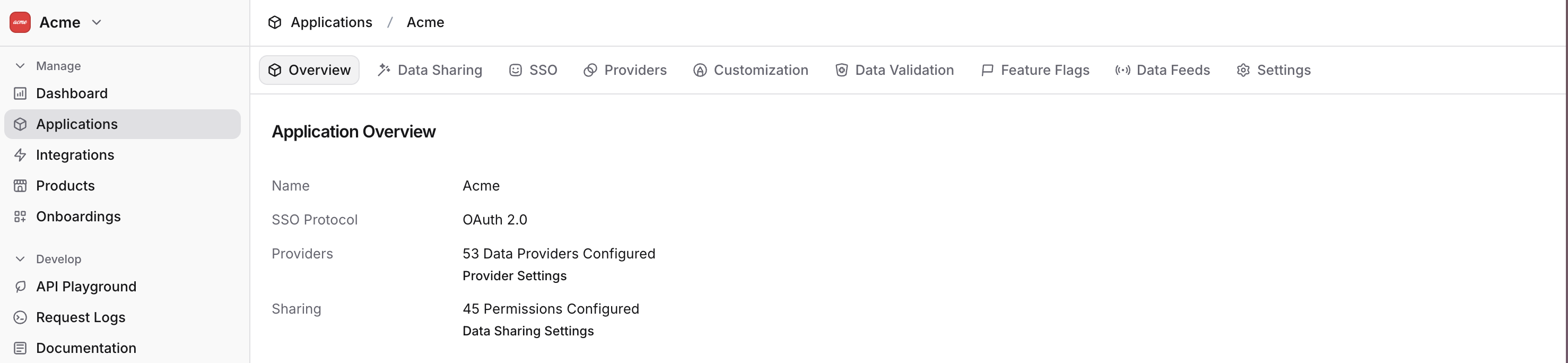
From there, open the Feature Flags tab to view and update your configuration.
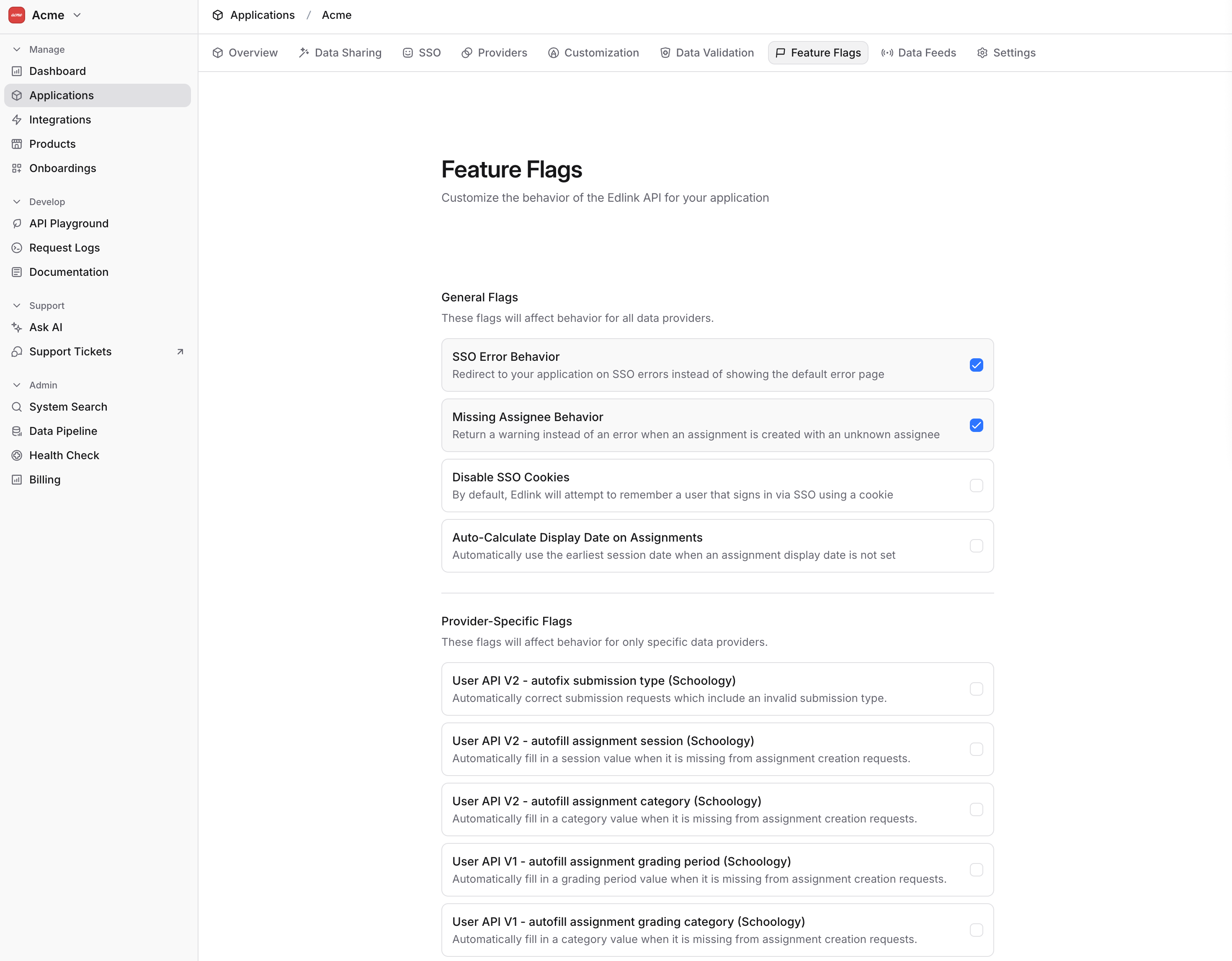
When you're finished, click Save Configuration at the bottom of the page to apply your changes.