
The integration sharing rules plugin adds a embeddable frame to your site which allows a district to view and edit their sharing rules for an integration on your website.
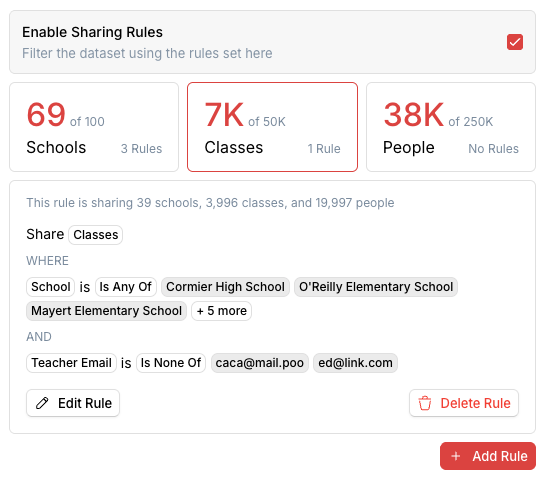
Usage
1. Installation
First add the Widgets SDK script to your website. You can do this by adding the following script tag to your website:
<script src="https://ed.link/widgets/edlink@1.0.0.js"></script>
2. Initialization
Then initialize the SDK.
const edlink = new Edlink({
    client_id: `00000000-0000-0000-0000-000000000000`
    colors: {
        primary: '#e63946',
        primary_foreground: '#ffffff'
    }
});
Next create a widget instance with a root for the widget to mount to and an email to authenticate the user with.
const widget = edlink.createWidget({
    root: document.getElementById('edlink-widget-root'),
    email: 'jaron@k12.mnps.org'
});
3. Activation
Activate the plugin like so:
widget.activatePlugin({
    name: 'integration_sharing_rules',
    options: {
        integration_id: '00000000-0000-0000-0000-000000000000'
    }
});
The widget will automatically appear because it is attached to a root element. No need to call show().
This widget will resize itself to fit its contents. It will set a fixed height on its iframe but you are welcome to constrain it with the root however you like. We reccomend placing it in an element that is free to resize in the y-axis.
The widget will also open a full screen modal when needed (e.g. editing a rule). This modal will not be affected by the root element it will be positioned relative to the viewport and hoisted above all other content on the page.